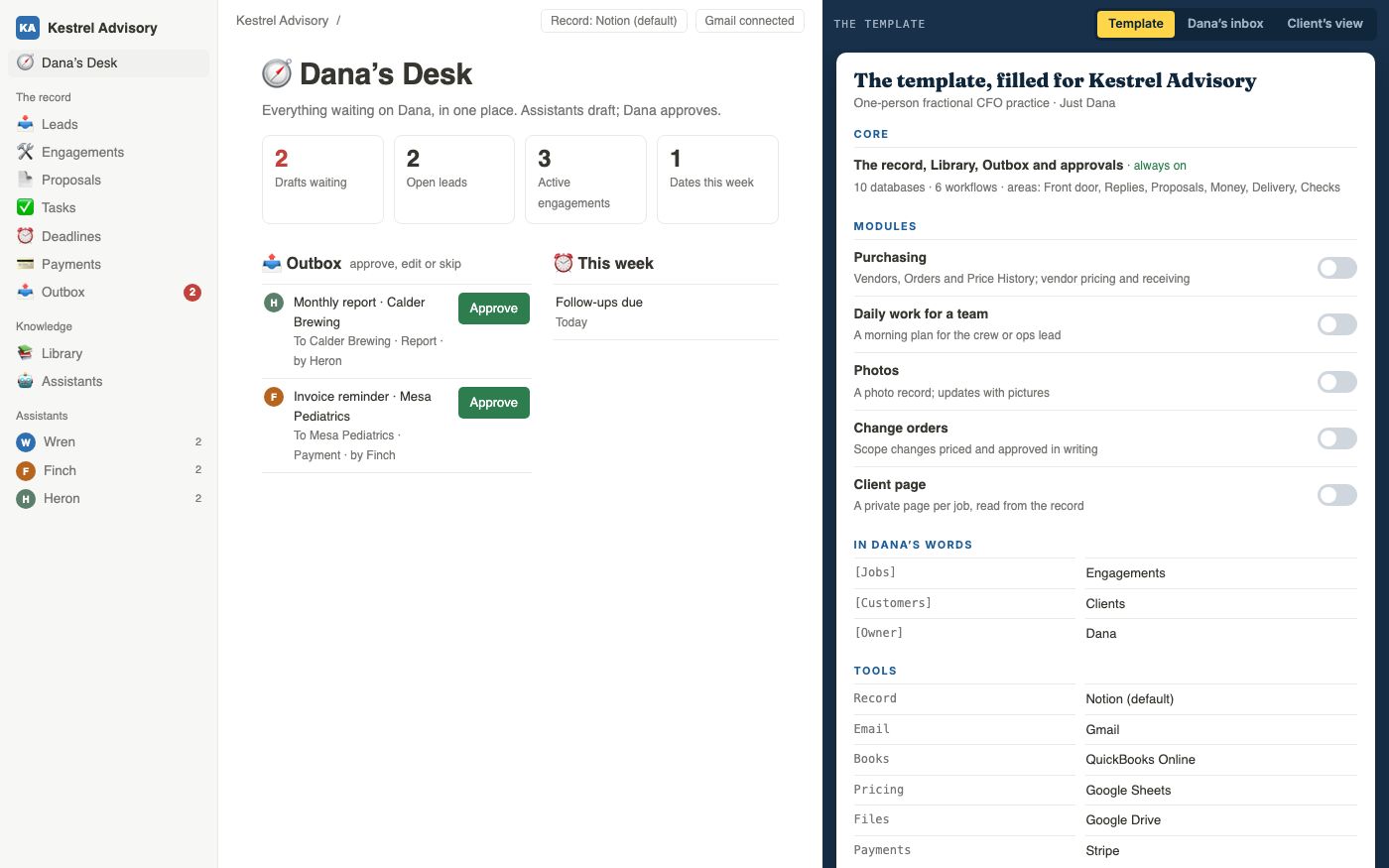
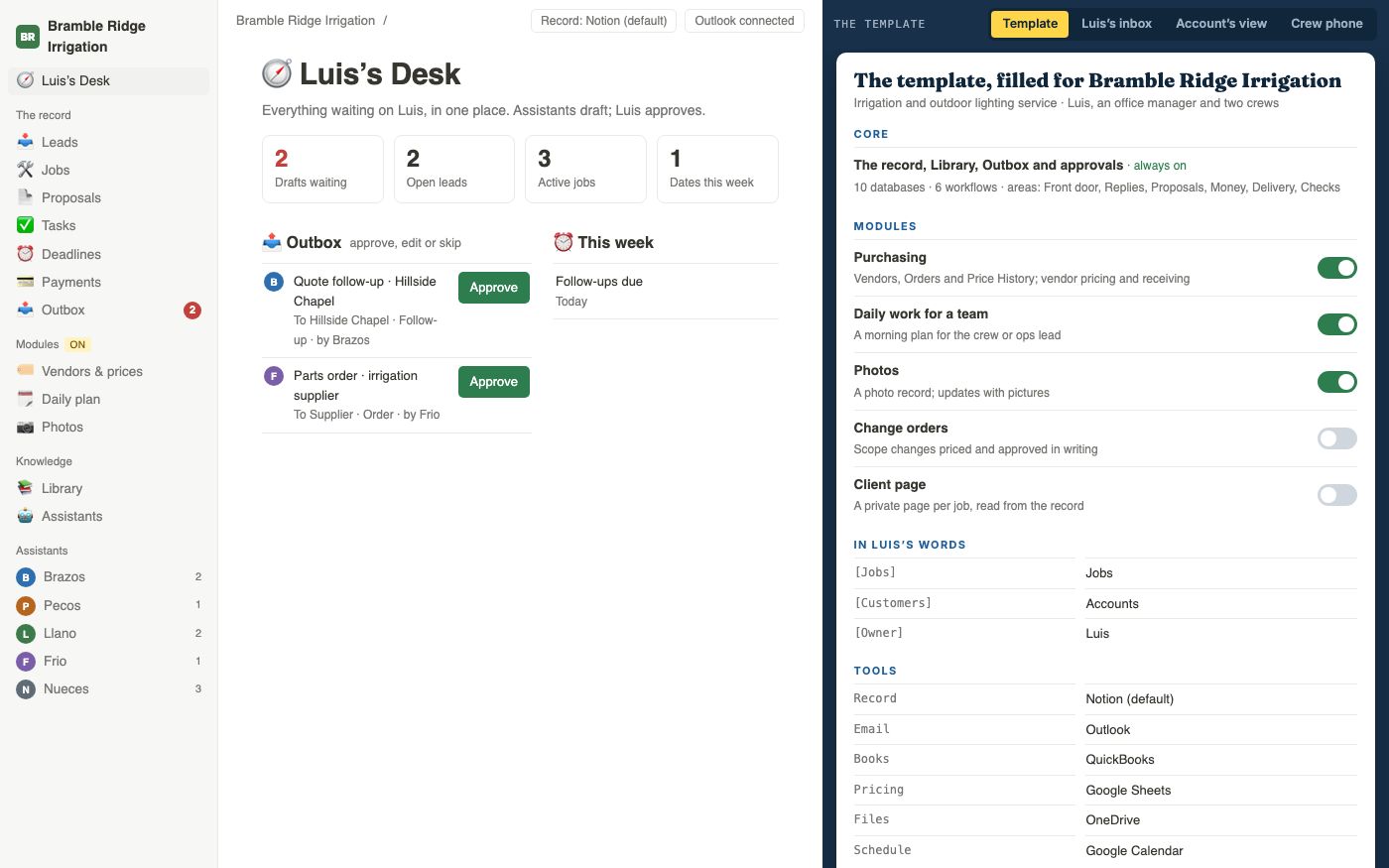
01A desk with everything waiting on you
What it doesDrafts to approve, open leads, active work and this week's dates, on one page.
Why it mattersYou start the day knowing what needs you, without opening five inboxes to find out.
A Blueprint is a design for how the agreed part of your business could run. I map its records and processes, write the instructions, and make a demonstration you can click through. You can see what people and software would do before paying for the live build.
The Read is a 90-minute assessment session and written report. Together, the Read and Blueprint cost $14,500 through design. Building the live system is additional. We agree what the design will cover and when you’ll receive it before work begins.
Take a business that quotes custom work. Before setting a price, someone needs the request, a comparable job and current costs. After approval, the proposal needs to reach the customer and the accepted job needs to reach the people doing it. A Blueprint designs how those steps would fit together in your business.
I work out which steps software can prepare, what information it needs and where a person should approve the result. A draft quote, for example, should show the rates and past jobs it used. You decide the final price and the promise to the customer.
Most track leads and proposals, need one place to approve what goes out, keep their terms and forms somewhere, and watch dates and payments. Where the work differs, there is usually a piece for it: purchasing, a crew's morning plan, photos, change orders or a page for the customer.
The film shows three invented businesses: a one-person financial advisory practice, an irrigation company with two crews and a one-person design studio. They illustrate a shared structure. Your Blueprint follows the business in front of me.
See every feature →These twelve examples come from the demonstration. The first nine show its shared records and processes. The last three are optional modules—extra features added for a particular kind of work. We choose what belongs in your design.
What it doesDrafts to approve, open leads, active work and this week's dates, on one page.
Why it mattersYou start the day knowing what needs you, without opening five inboxes to find out.
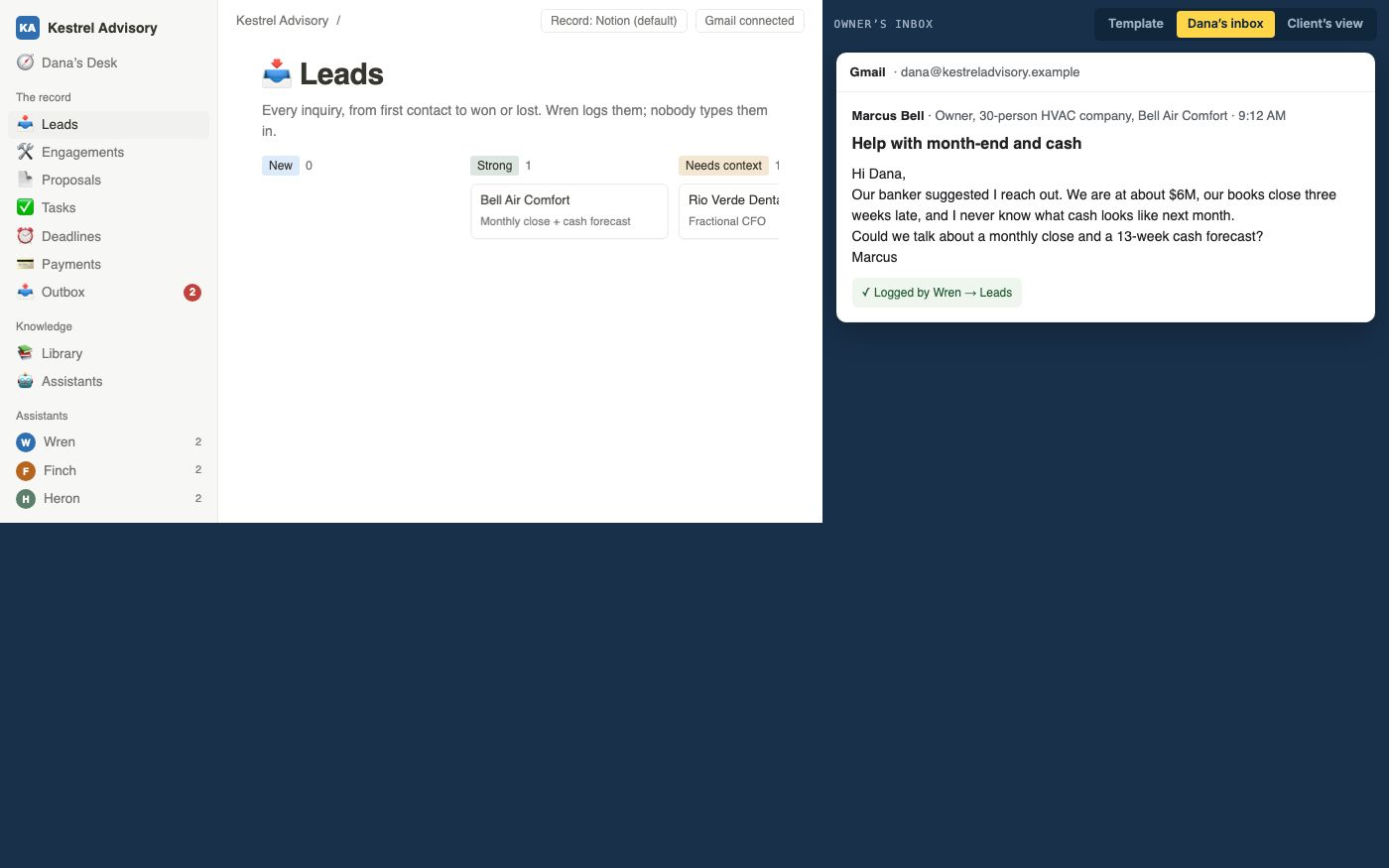
What it doesAn AI assistant is software given a specific task. Here, it reads an incoming email or form, creates a prospective-customer record and flags information still needed.
Why it mattersThe inquiry has a place in the business’s records, with the original message available to check.
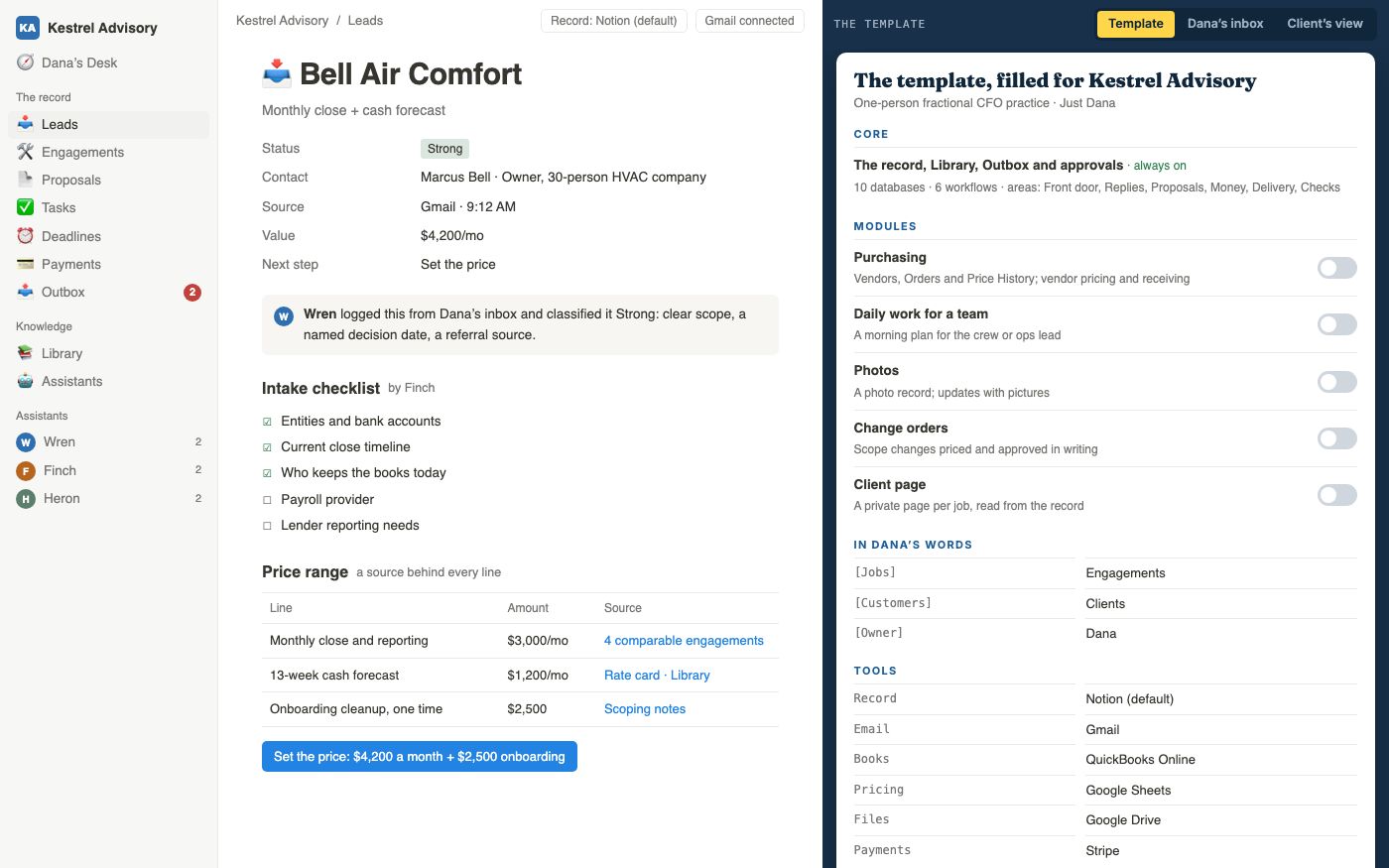
What it doesThe draft lists the questions needed to quote the job, then proposes a price range using your rates and relevant past work. It shows where each figure came from.
Why it mattersYou see where each number came from before you set the price.
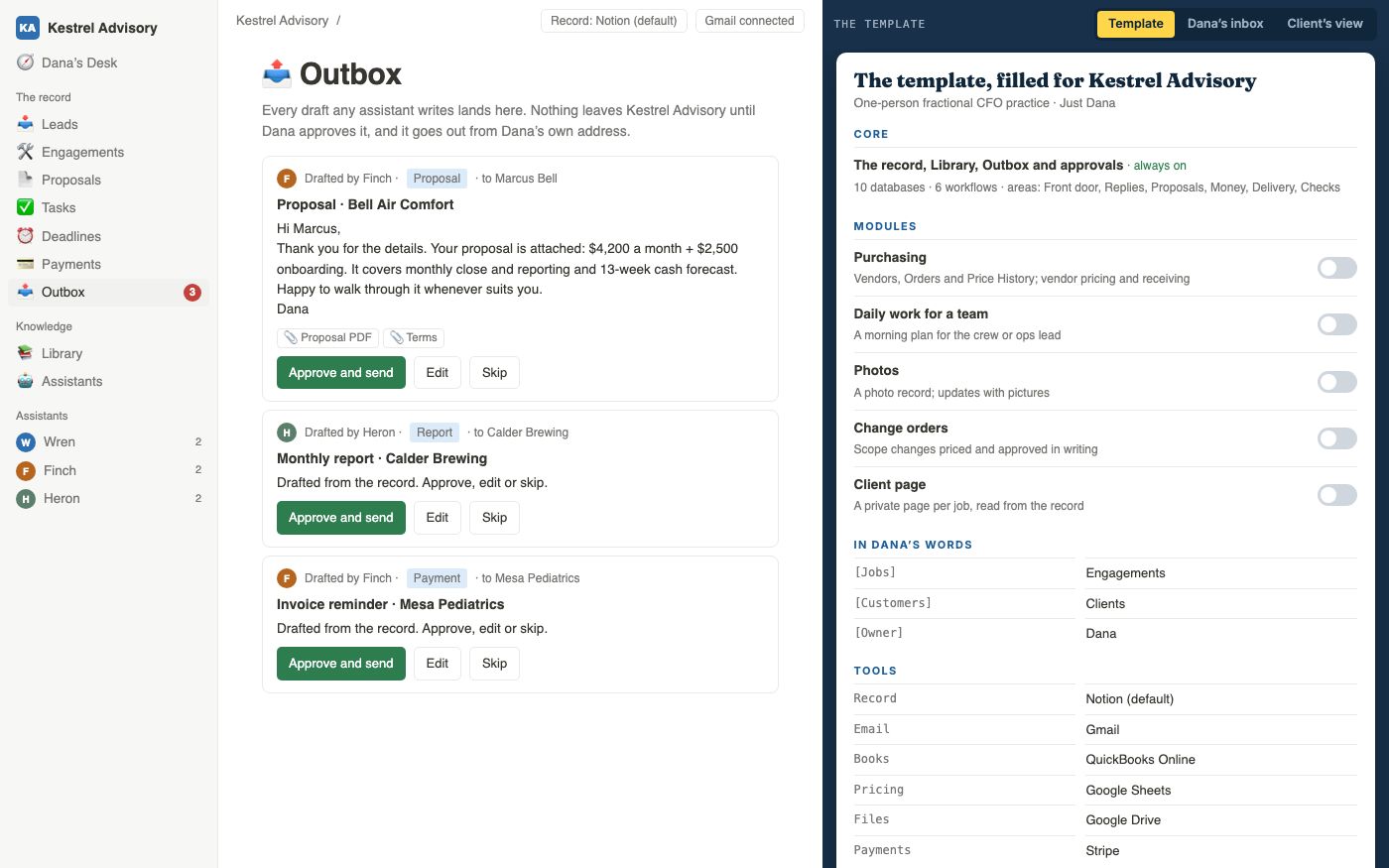
What it doesDrafts collect in an Outbox: one screen where you can review them. Approve, edit or skip each item. An approved email goes out from your own address.
Why it mattersNothing reaches a customer or vendor without you, and you review it all in one sitting.
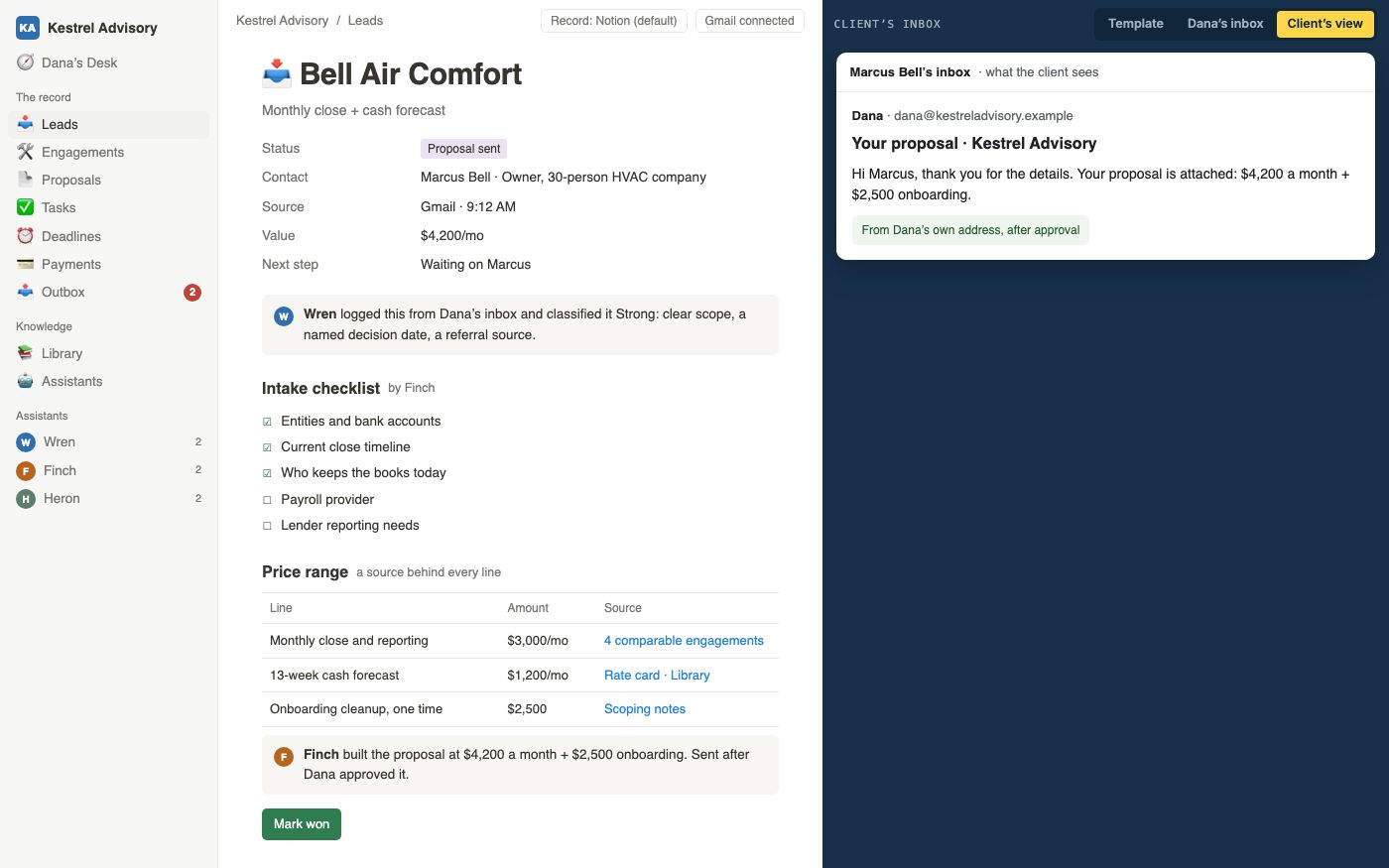
What it doesA customer receives the proposal and later messages after you approve them, including a deposit request when that fits your process.
Why it mattersCustomers get clear, prompt messages in your voice. Your ranges, sources and other customers stay internal.
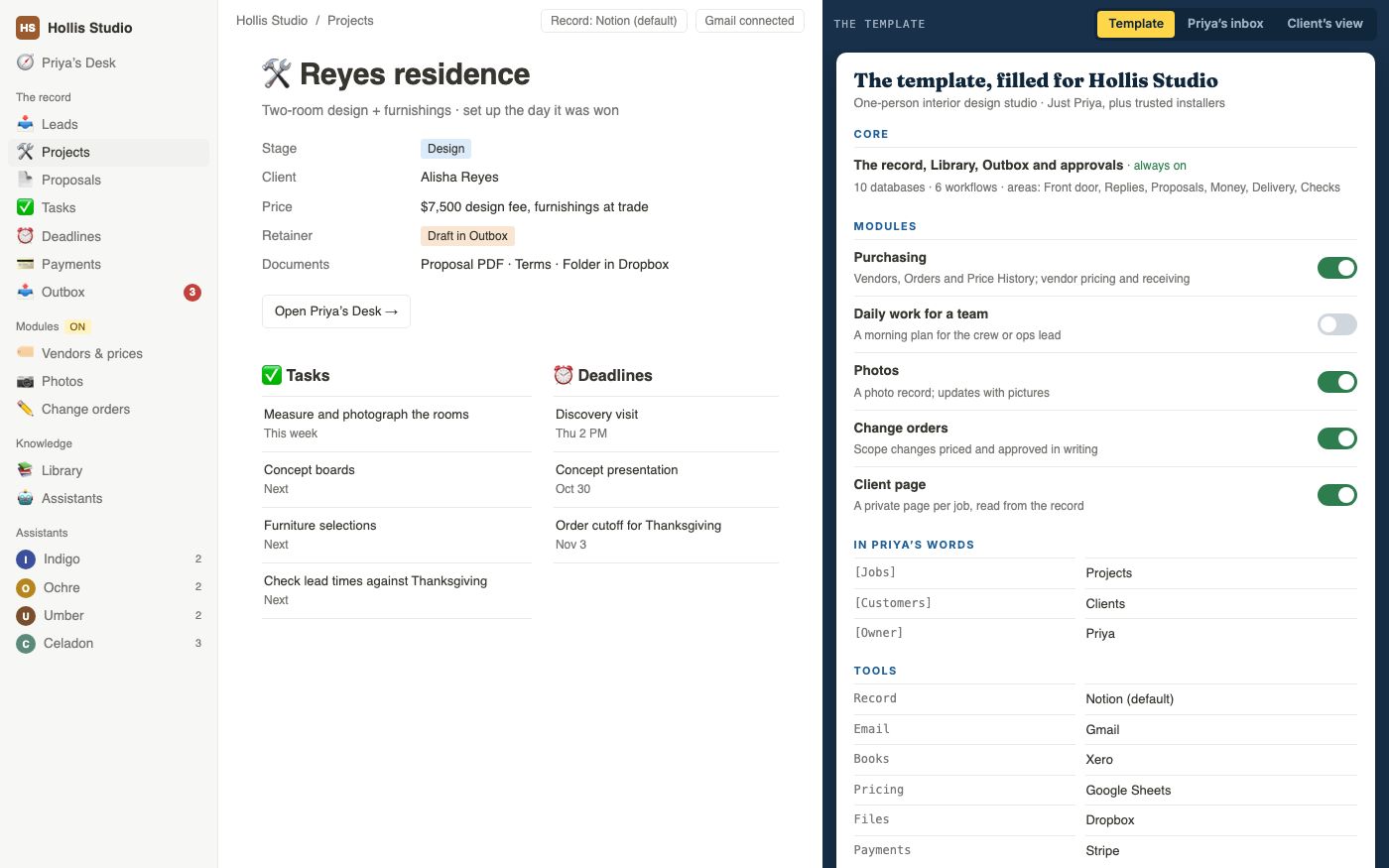
What it doesWhen a customer accepts, the system prepares a job record with the tasks and dates your process needs. A deposit request can be drafted for your approval.
Why it mattersThe start of a job doesn't wait for you to find an hour to set it up.
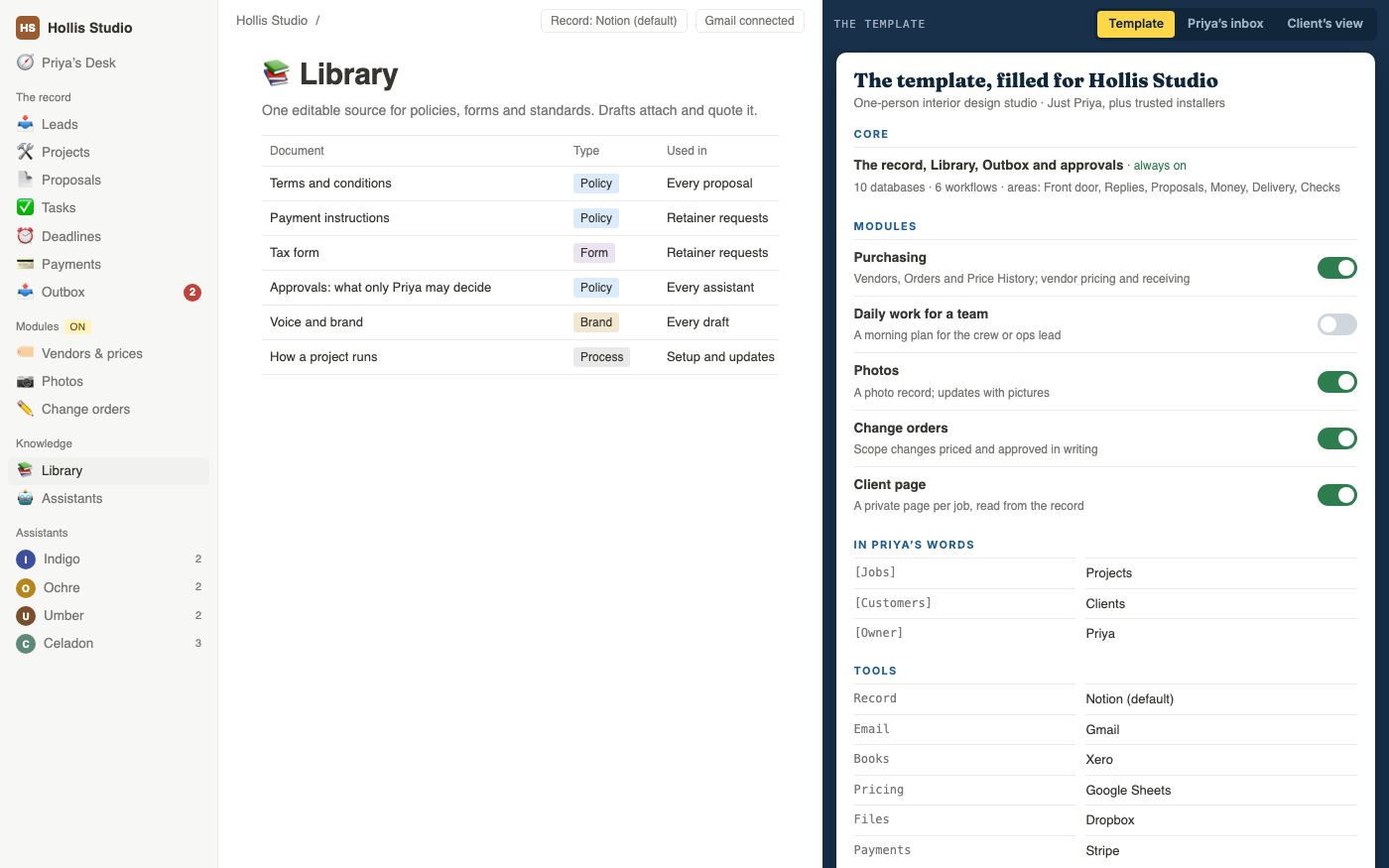
What it doesThe Library is a collection of your working documents: terms, payment instructions, tax forms and rules about approvals. A draft can use and link to the relevant version.
Why it mattersPeople and assistants have a current document to refer to, with a source you can check in the draft.
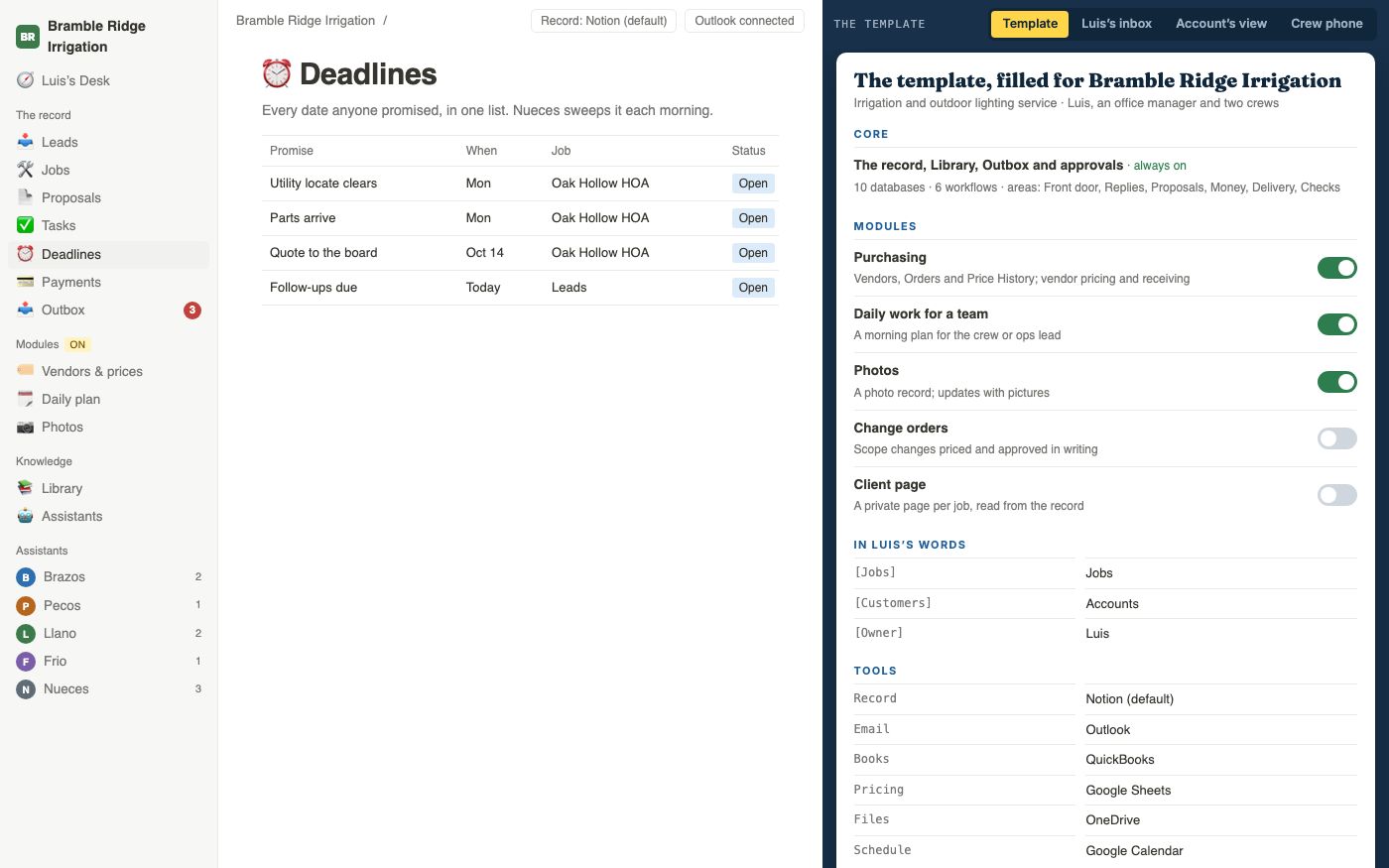
What it doesA list brings together deadlines, deposits and promised follow-ups. Scheduled checks can flag approaching or overdue dates, with a summary for the week.
Why it mattersYou can see what is due and who is responsible, rather than having to remember each date.
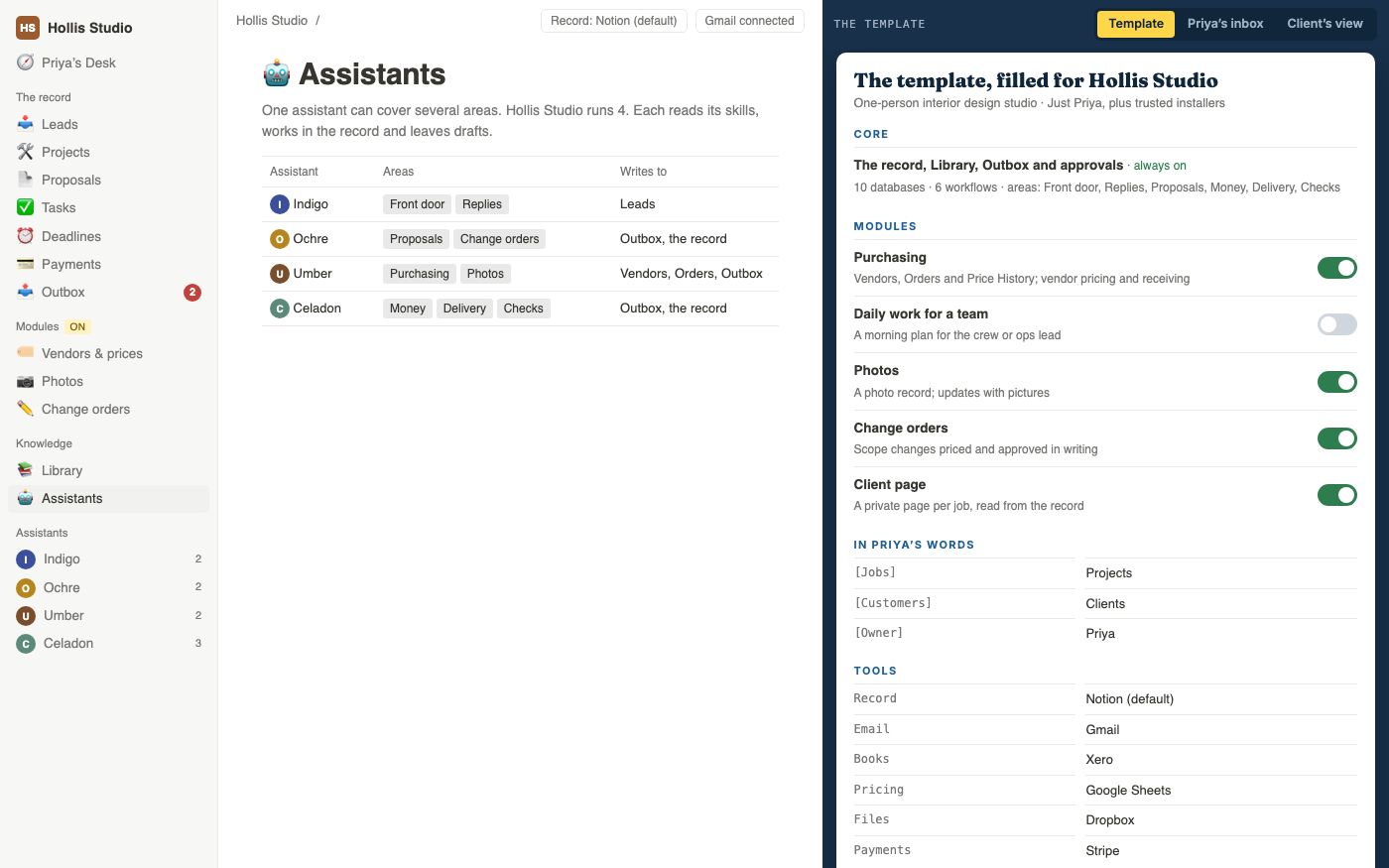
What it doesEach AI assistant has a named job and written instructions. One might prepare proposals; another might review deadlines. The design specifies what information each can use and which actions need approval.
Why it mattersYou can see which assistant prepared an item. Any extra permission is a decision for you to make after testing.
What it doesPurchasing, a team's daily plan, photos, change orders or a customer page, added only when the work calls for them.
Why it mattersYou don't carry machinery your business doesn't use.
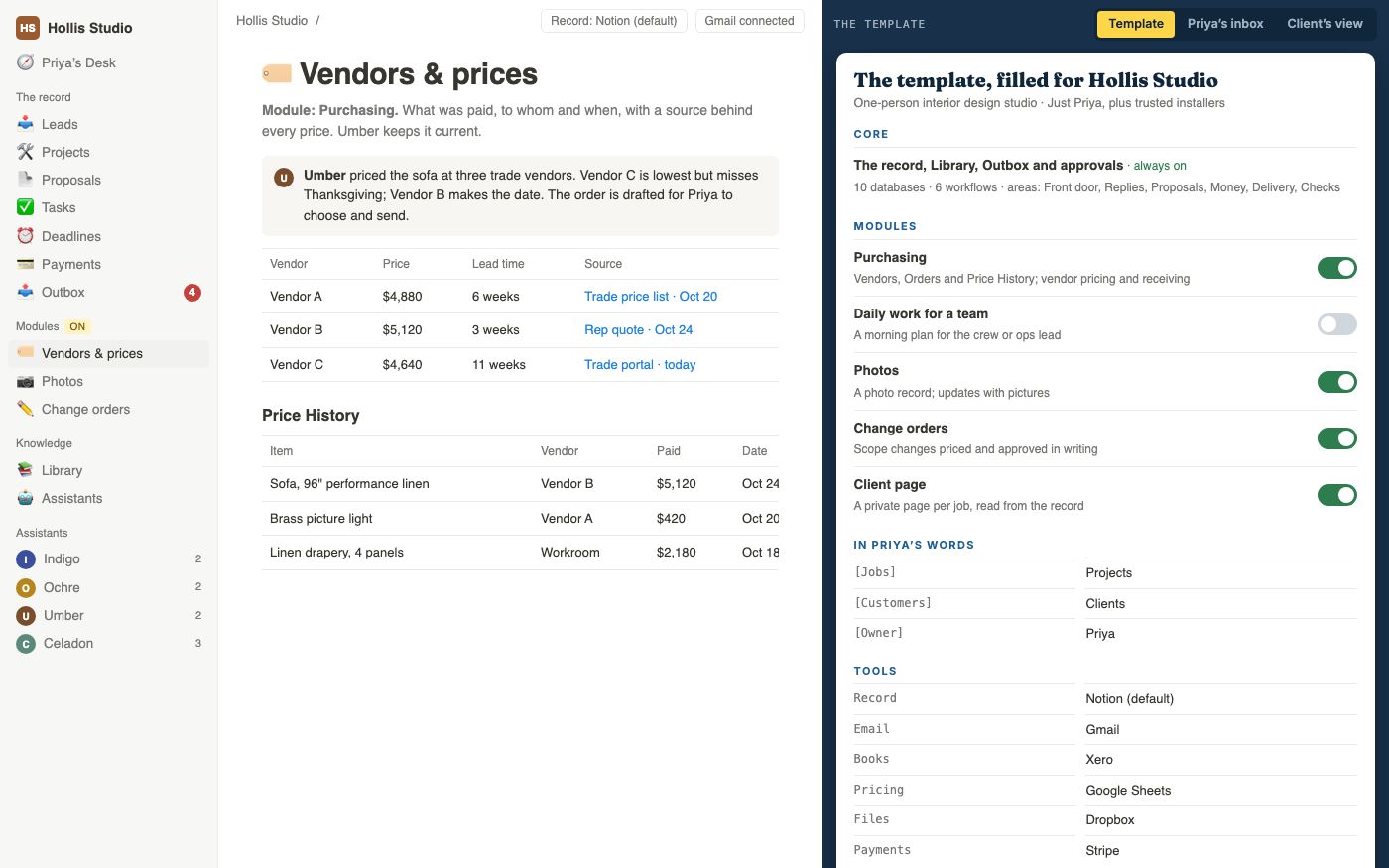
What it doesA purchasing module can gather available vendor prices and lead times, showing their sources. It prepares an order for you to review and send.
Why it mattersYou can check the available prices and delivery information before using them in a quote.
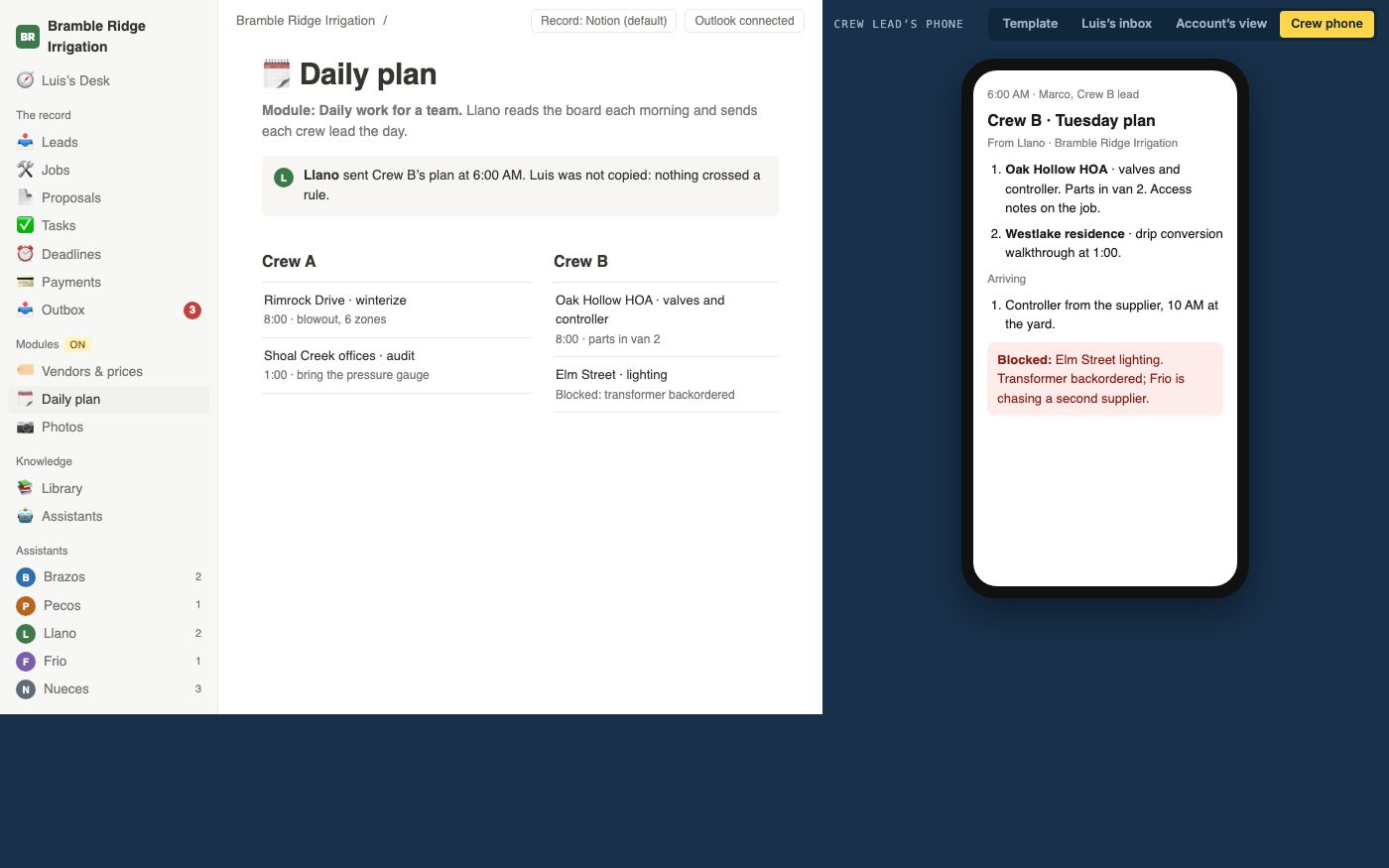
What it doesA daily-work module can prepare each crew lead’s plan: the job, expected deliveries and anything preventing a start. The design specifies which issues should also reach you.
Why it mattersThe day starts without waiting for you, and you hear about what actually needs you.
Screens from the live demo, filled in for invented businesses on sample data.
Every Blueprint includes short films like these, one per workflow, so you can show a partner or a builder exactly what you approved.
Want to click through it yourself? Try the live demo ↗
Written descriptions of the business, its records and policies, with step-by-step instructions for the agreed tasks. Where AI assistants are included, I document their jobs, the information they use and the actions they may take.
Example screens using your vocabulary show how someone would move through a job. You can try the owner’s view and, where agreed, the customer’s view or website. The demonstration lets you review the intended process before a live build.
A short film for each agreed process, usually under a minute, showing the incoming request, what gets prepared and where a person approves it.
A private page brings the design together. It lists the records, written instructions and software involved, and explains what to build first. You can share it with a partner or builder.
Notion, an app for shared documents and linked records, is my usual starting point for the business workspace. Accounting, email and other tools keep the jobs they already do well. We choose the tools for your design around the business.
The three businesses in the demo share a core and differ everywhere else: their words, their tools, the modules they switch on and the number of assistants they run.
| In the design | Kestrel | Bramble Ridge | Hollis |
|---|---|---|---|
| Databases in the record | 10 | 14 | 15 |
| End-to-end workflows | 6 | 9 | 9 |
| Named assistants | 3 | 5 | 4 |
| Modules switched on | 0 | 3 | 4 |
Kestrel Advisory, a one-person CFO practice. Bramble Ridge Irrigation, an owner with two crews. Hollis Studio, a one-person design studio. All three are invented.
Real Blueprints are built the same way, around the business in front of me. The first client Blueprint was for HTX Made, a custom woodworking shop in Houston.
The design documents which jobs an AI assistant may prepare and which actions need a person. By default, the approval rules prevent an assistant from taking these actions on its own:
Your accounts, data and workspace stay yours throughout. The design belongs to you, whether you build it with me, with someone else or in stages yourself.
Before the Blueprint begins, we agree which part of the business it covers, the processes to demonstrate, the tools involved and who will review the design. The proposal also sets the number of review rounds and names questions a live build will need to test.
The demonstration shows how the design is intended to work. Connecting real accounts, moving business data and running automations in the business are part of a separately quoted build. Ongoing support is also agreed separately.
We spend 90 minutes on how your business actually runs. Within two business days you get written findings and one recommended first move. If a Blueprint isn't the right next step, I'll say so.
What's included →Usually two to three weeks within the agreed scope. I design your business as one operating system and deliver the library, the clickable demo, the workflow films and the private page. You approve the scope before work begins.
Build one workflow from the design, use it in the business and measure what changes before committing to the rest.
See the approach →Optional ongoing responsibility for keeping the system working as the business changes. Scope and fee are agreed separately.
What's covered →Each stage is a separate decision. The combined Read and Blueprint fee is $14,500 before implementation. A focused problem can move from diagnosis directly to a separately scoped build.
For established owner-led businesses from $500k in annual revenue, including one-person companies. The value depends on the work you can hand off and the decisions you keep. We'll look at both before you commit to a build.
The Read is my $2,500 business assessment. It gives us a reason for the design and a question it needs to answer. If a Blueprint is the right next step, its separate $12,000 fee makes the total $14,500 through design.
A focused change can move from diagnosis into a separately scoped build. The broader Blueprint makes sense when several workflows need to fit together.
The agreed design deliverables are yours. The handoff explains the structure, decisions and remaining questions so another competent builder can evaluate implementation.
Plan on two to three weeks after the Read. We agree the delivery dates when we set the scope and confirm your team’s availability.
The proposal defines the included scope and review process. Material additions are priced and agreed separately before they become part of the engagement.
Tell me what the business does and which part you’d like to work better. We’ll discuss whether a paid assessment is a useful first step.